> ## Documentation Index
> Fetch the complete documentation index at: https://auk.mamahuhu.dev/llms.txt
> Use this file to discover all available pages before exploring further.
# Introduction to Auk
> Local-first API development ecosystem
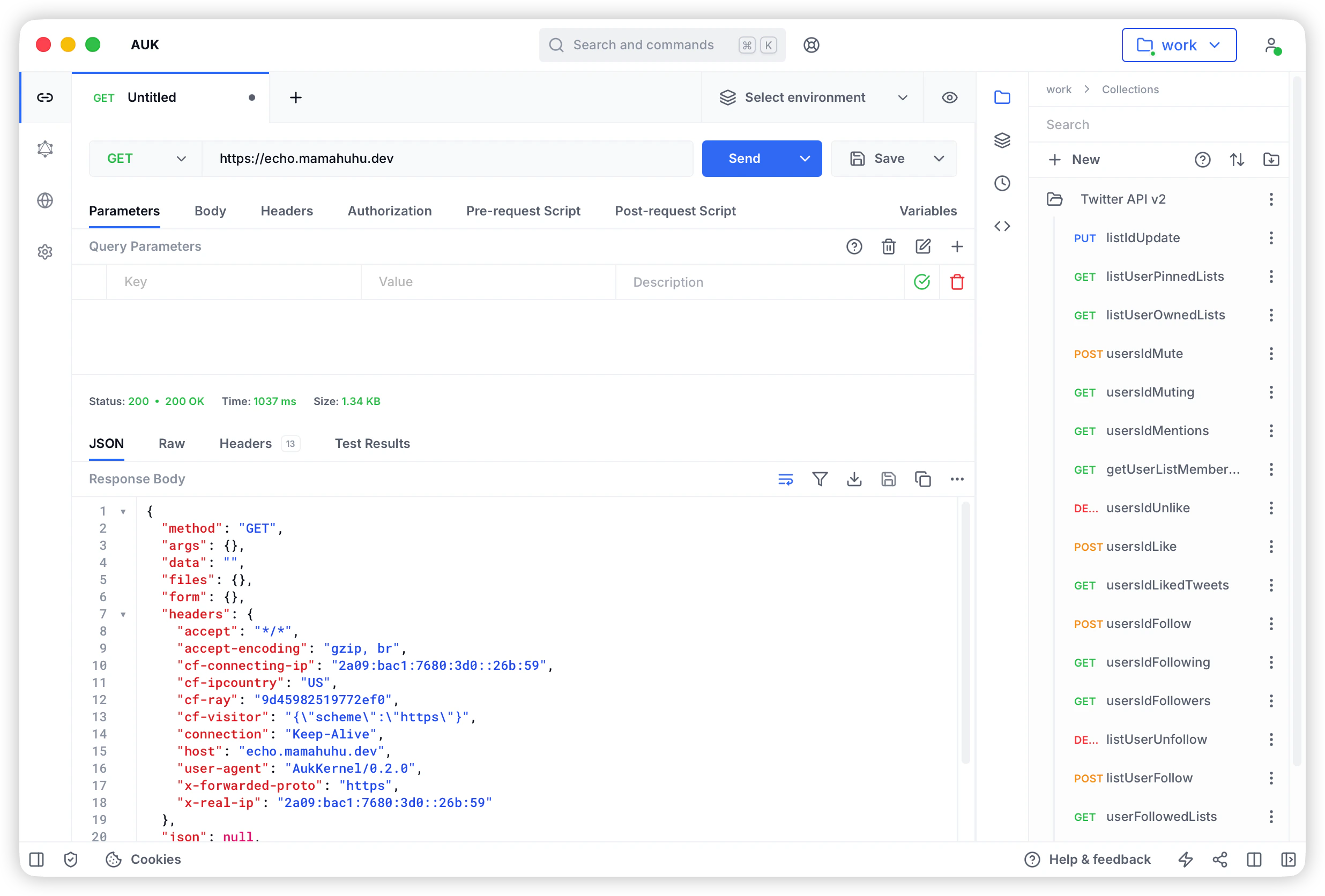
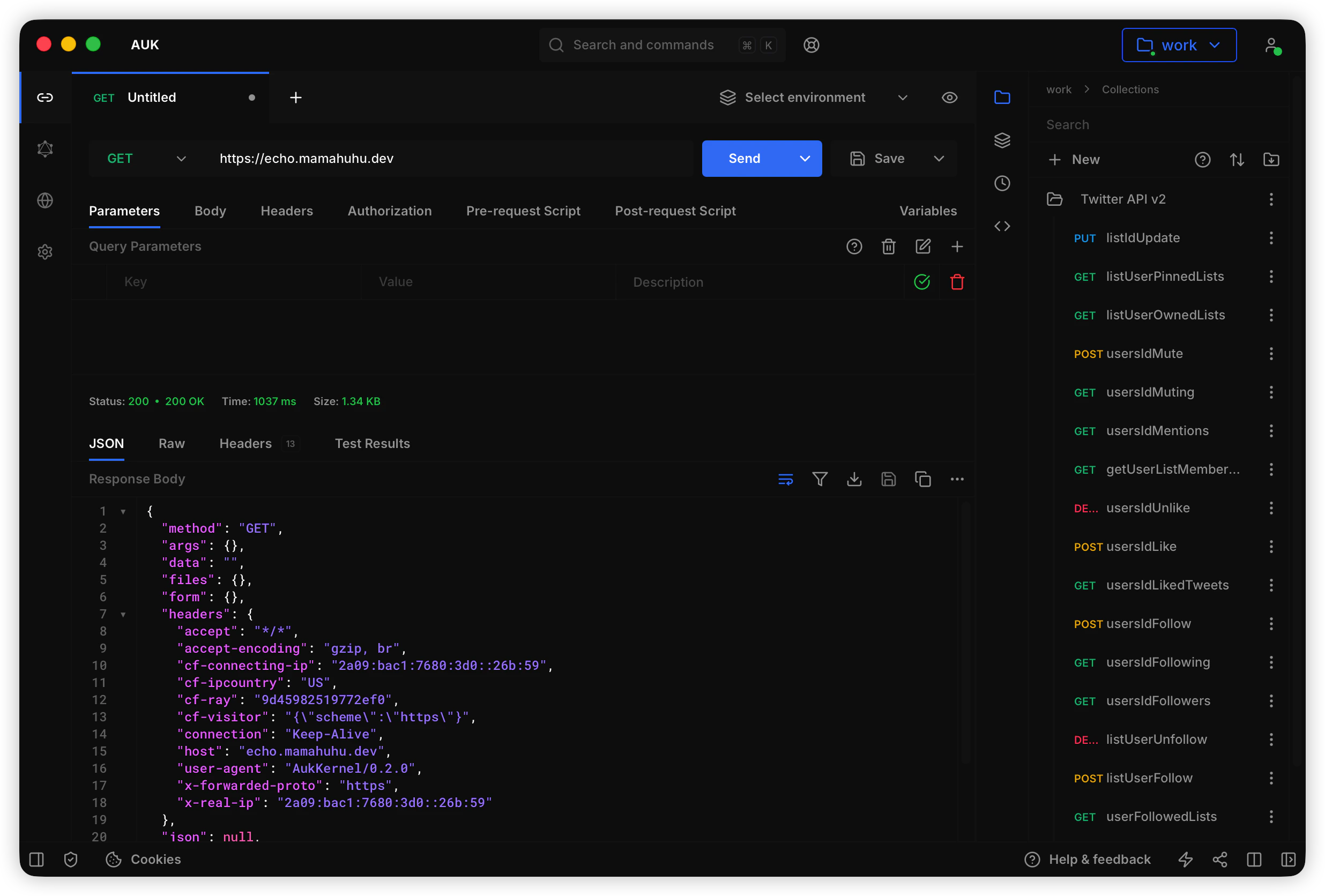
Auk is a local-first API development tool, based on the open-source project Auk. It focuses on local storage and Git collaboration, giving you full control over your API data without relying on cloud services.
 ## Core Features
All data stored in local file system, no cloud account required, full control over your data.
Team collaboration and version control via Git, supports GitHub, GitLab, Gitee, and any Git service.
Create multiple independent workspaces, flexibly manage work and personal projects, each with its own Git repository.
Desktop app built with Tauri, native performance, no network latency, fast response.
Work completely offline, all features available without network, sync to Git when needed.
Data stored in your controlled location, supports custom Git services, optional encryption.
Share API collections and environments via Git repositories, collaborate using standard Git workflows.
Supports macOS, Windows, and Linux with consistent user experience.
## Supported Protocols
Auk supports multiple API protocols to meet different development needs:
* **REST API** - Full HTTP method support (GET, POST, PUT, DELETE, etc.)
* **GraphQL** - Query, Mutation, Subscription support
* **WebSocket** - Full-duplex real-time communication
* **Server-Sent Events (SSE)** - Server push events
* **Socket.IO** - Real-time bidirectional communication
* **MQTT** - IoT messaging protocol
## Core Capabilities
### API Testing
* Send HTTP requests and view responses
* Support various authentication methods (Basic, Bearer, OAuth 2.0, etc.)
* Configure request parameters, headers, and body
* Response preview (JSON, XML, HTML, images, etc.)
* Request history
### Collection Management
* Create and organize API collections
* Unlimited nested folder structure
* Collection-level authentication and headers
* Import/Export (Postman, Insomnia, OpenAPI)
* Sync and version control via Git
### Environment Variables
* Create multiple environments (dev, staging, production, etc.)
* Variable substitution `<>`
* Global and workspace variables
* Secret variables (not synced to Git)
* Dynamic variable setting via scripts
### Script Support
* Pre-request scripts (execute before request)
* Test scripts (execute after request)
* Full JavaScript support
* Built-in test assertion library
* Environment variable operations
### Workspace Management
* Create multiple independent workspaces
* Independent data storage per workspace
* Quick workspace switching
* Workspace-level configuration
### Git Sync
* Auto sync to Git repository
* Conflict detection and resolution
* Branch management
* Sync history
* SSH, HTTPS, OAuth authentication support
## Differences from Auk
Auk is based on Auk with the following key differences:
| Aspect | Auk | Auk |
| ------------------ | -------------------- | ----------------- |
| **Storage** | Cloud Database | Local File System |
| **Collaboration** | Cloud Workspace | Git Repository |
| **Authentication** | OAuth Login | No Login Required |
| **Backend** | PostgreSQL + GraphQL | No Backend |
| **Deployment** | Web + Self-host | Desktop App Only |
| **Offline** | Limited | Full Support |
| **Data Control** | Cloud Provider | Full User Control |
## Use Cases
### Individual Developers
* Manage API collections locally without registration
* Full data control and privacy protection
* Work offline without network dependency
### Team Collaboration
* Share API collections via Git repositories
* Use familiar Git workflows
* Code review and version control
### Enterprise Intranet
* Deploy in intranet environment without external access
* Use internal Git services (GitLab, Gitea, etc.)
* Data stays within intranet, secure and controlled
### Sensitive Projects
* Data stored locally or on private servers
* Full control over data access permissions
* Compliance with data regulations
## Technical Architecture
Auk uses the following technology stack:
* **Frontend**: Vue 3 + TypeScript
* **Desktop**: Tauri 2.x (Rust)
* **Package Manager**: pnpm monorepo
* **Storage**: Local File System
* **Version Control**: Git
* **Build Tool**: Vite
## Next Steps
Download and install Auk desktop app
Create your first workspace
Setup Git sync (optional)
Quick start guide
## Core Features
All data stored in local file system, no cloud account required, full control over your data.
Team collaboration and version control via Git, supports GitHub, GitLab, Gitee, and any Git service.
Create multiple independent workspaces, flexibly manage work and personal projects, each with its own Git repository.
Desktop app built with Tauri, native performance, no network latency, fast response.
Work completely offline, all features available without network, sync to Git when needed.
Data stored in your controlled location, supports custom Git services, optional encryption.
Share API collections and environments via Git repositories, collaborate using standard Git workflows.
Supports macOS, Windows, and Linux with consistent user experience.
## Supported Protocols
Auk supports multiple API protocols to meet different development needs:
* **REST API** - Full HTTP method support (GET, POST, PUT, DELETE, etc.)
* **GraphQL** - Query, Mutation, Subscription support
* **WebSocket** - Full-duplex real-time communication
* **Server-Sent Events (SSE)** - Server push events
* **Socket.IO** - Real-time bidirectional communication
* **MQTT** - IoT messaging protocol
## Core Capabilities
### API Testing
* Send HTTP requests and view responses
* Support various authentication methods (Basic, Bearer, OAuth 2.0, etc.)
* Configure request parameters, headers, and body
* Response preview (JSON, XML, HTML, images, etc.)
* Request history
### Collection Management
* Create and organize API collections
* Unlimited nested folder structure
* Collection-level authentication and headers
* Import/Export (Postman, Insomnia, OpenAPI)
* Sync and version control via Git
### Environment Variables
* Create multiple environments (dev, staging, production, etc.)
* Variable substitution `<>`
* Global and workspace variables
* Secret variables (not synced to Git)
* Dynamic variable setting via scripts
### Script Support
* Pre-request scripts (execute before request)
* Test scripts (execute after request)
* Full JavaScript support
* Built-in test assertion library
* Environment variable operations
### Workspace Management
* Create multiple independent workspaces
* Independent data storage per workspace
* Quick workspace switching
* Workspace-level configuration
### Git Sync
* Auto sync to Git repository
* Conflict detection and resolution
* Branch management
* Sync history
* SSH, HTTPS, OAuth authentication support
## Differences from Auk
Auk is based on Auk with the following key differences:
| Aspect | Auk | Auk |
| ------------------ | -------------------- | ----------------- |
| **Storage** | Cloud Database | Local File System |
| **Collaboration** | Cloud Workspace | Git Repository |
| **Authentication** | OAuth Login | No Login Required |
| **Backend** | PostgreSQL + GraphQL | No Backend |
| **Deployment** | Web + Self-host | Desktop App Only |
| **Offline** | Limited | Full Support |
| **Data Control** | Cloud Provider | Full User Control |
## Use Cases
### Individual Developers
* Manage API collections locally without registration
* Full data control and privacy protection
* Work offline without network dependency
### Team Collaboration
* Share API collections via Git repositories
* Use familiar Git workflows
* Code review and version control
### Enterprise Intranet
* Deploy in intranet environment without external access
* Use internal Git services (GitLab, Gitea, etc.)
* Data stays within intranet, secure and controlled
### Sensitive Projects
* Data stored locally or on private servers
* Full control over data access permissions
* Compliance with data regulations
## Technical Architecture
Auk uses the following technology stack:
* **Frontend**: Vue 3 + TypeScript
* **Desktop**: Tauri 2.x (Rust)
* **Package Manager**: pnpm monorepo
* **Storage**: Local File System
* **Version Control**: Git
* **Build Tool**: Vite
## Next Steps
Download and install Auk desktop app
Create your first workspace
Setup Git sync (optional)
Quick start guide